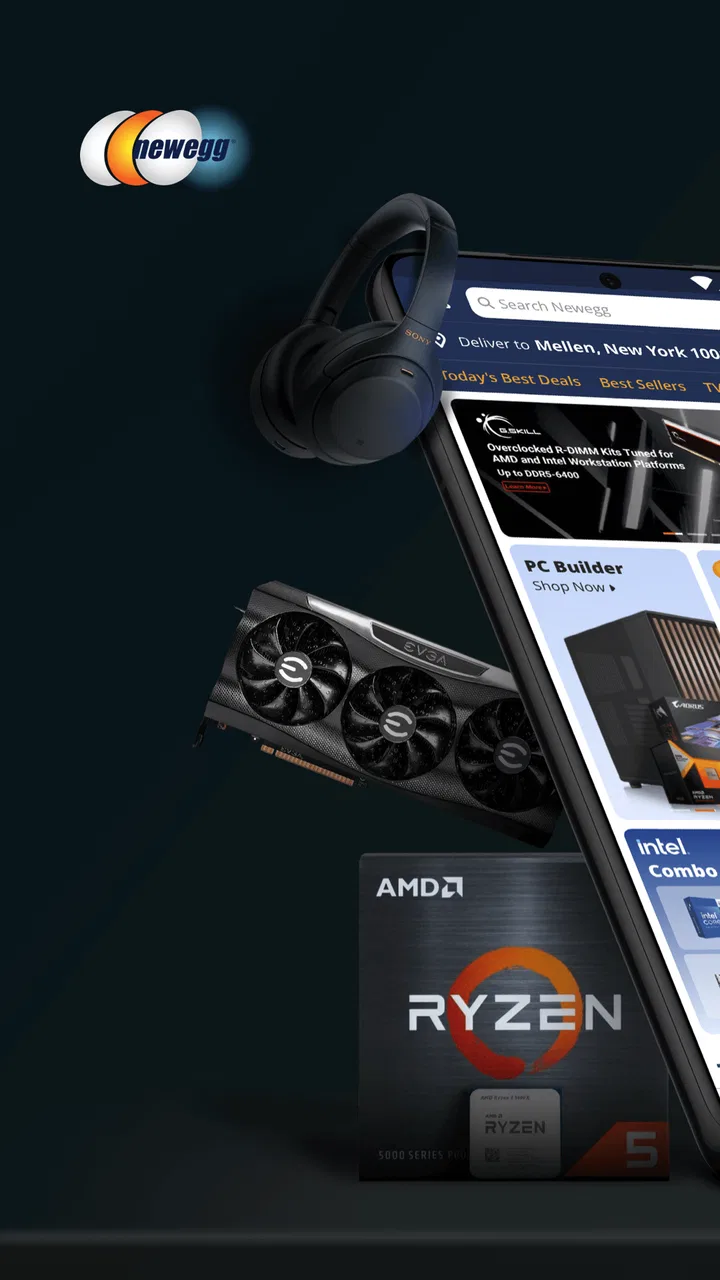
Newegg - Tech Shopping Online
- 4.7
- Rating
- 5.00M
- Installs
- Free
- Price

 Analysis by App-foxy
When I shop for computer parts or other electronics, I usually want more than a pretty product page. I want to compare specifications, check whether a component fits the rest of my setup, watch the total cost, and avoid wasting time on items that look similar but are not actually interchangeable. That is where Newegg - Tech Shopping Online makes the most sense to me: it is a shopping app built around browsing and comparing technology, rather than a general marketplace where electronics are just one category among many.
My main reason for recommending it is the way it puts technical shopping at the center of the experience. The app comes from Newegg Inc., is free to use, and is rated for Everyone. It has been available since December 24, 2010, so it is not a new experiment trying to find a place in the shopping category. With a 4.7 average from around 100 thousand ratings and more than 5 million installs, it clearly has an established audience.
I would not describe it as the perfect shopping tool for every purchase. If I only need household basics, clothing, or a quick local pickup, a general retailer may be more convenient. But when the purchase depends on details such as storage type, memory capacity, processor compatibility, display resolution, or the difference between two nearly identical models, this app has a much clearer purpose. Its strongest quality is not simply letting me buy technology; it helps make a technical buying decision feel more manageable.
You May Also Like

 Blood Strike: 2.5 Anniversary
Blood Strike’s Loadouts Turn Every Drop Into a Tactical Gamble
A close look at Blood Strike’s custom loadouts: how fast access to signature weapons reshapes its battle royale rhythm, rewards preparation, and narrows the gap between fights.

 Pandora - Music & Podcasts
Pandora’s Music Is Easy to Start, but Harder to Recover
Pandora’s strength is its low-effort path from a seed to a station. Its weak spot is how much confidence it asks you to place in connection, setup, and quiet recovery.

 8 Ball Pool
 Is Built on Rivalries, Rematches, and Routine
A close look at the rivalries, rematches, shared routines, and unanswered safety questions that turn a quick pool match into a persistent mobile community.

 Samsung Music
’s Quiet Strength Is Playing What You Already Own
Its reach comes less from spectacle than from dependable access to a personal library. That simplicity is both the app’s strongest retention engine and its ceiling.

 AccuWeather: Weather Radar
AccuWeather Review: A Quick, Clear Forecast for Everyday Decisions
For everyday plans, the best forecast is the one you can understand quickly. AccuWeather makes rain timing, radar, and local conditions easy to act on, with a few trade-offs.

 Hill Climb Racing
Why Hill Climb Racing Still Turns Crashes Into One More Run
A tiny car, a bumpy hill and one more upgrade: Hill Climb Racing keeps resurfacing because its simple chaos makes every near-miss feel personal.
More From Our News Desk
View All News


Why focused tech shopping changes the experience
I find focused tech shopping useful because it changes what I pay attention to: instead of browsing by impulse, I can begin with the device or upgrade I actually need and compare options against that purpose. In this section, I’ll look at how a connection shapes that research, from loading product details to moving between candidates, before turning to the realities of using the app while away from a desk.
The useful capability is comparison before commitment
The feature I value most is the ability to use the app as a research workspace before treating it as a checkout tool. A casual shopping app encourages me to search for a product, glance at a few images, and decide quickly. Newegg is more useful when I slow down and compare several candidates that appear to serve the same purpose.
That matters because technology purchases often hide their important differences in the details. Two solid-state drives may have the same advertised capacity but use different interfaces. Two laptops may share a processor family while differing in memory, screen characteristics, or storage. A graphics card may look like a straightforward upgrade until I consider the rest of the computer. The app gives me a more appropriate environment for asking, “Which one actually suits my setup?” rather than, “Which one looks cheapest?”
I find this especially helpful when I begin with a goal instead of a product name. For example, I might be looking for more storage for a desktop, a replacement monitor for work, or a component for a new build. Searching around that goal lets me narrow the field gradually. I can inspect the product details, keep likely options in view, and return to them while I check compatibility elsewhere. That is a more deliberate workflow than opening random marketplace results and hoping the specifications line up.
The real benefit is fewer impulsive technology purchases. The app does not remove the need for judgment, but it makes it easier to spend time on the judgment that matters. I can compare the practical differences between products before money is involved, which is valuable when a wrong choice leads to adapters, returns, or an upgrade that does not solve the original problem.
How I use it when the search starts with a problem
My preferred approach is to define the requirement in plain language first. If I need a drive, I decide whether the priority is capacity, speed, physical format, or compatibility with an existing machine. If I need a monitor, I think about desk space, the work I do, connection types, and whether a higher refresh rate is relevant. Only then do I start browsing. This prevents the app from turning into an endless stream of attractive but unnecessary upgrades.
Once I find a promising item, I read beyond the first lines of the listing. I look at the technical description, the images, the included accessories, and the customer feedback. I also check whether the product is something I can install or use immediately, or whether it depends on another part that I do not own. This is one of the less obvious ways to use a technology-focused store: the product page becomes a checklist for the whole purchase, not merely a place to press a buy button.
I also keep separate mental groups for “definitely suitable,” “possibly suitable,” and “interesting but unnecessary.” That sounds simple, but it prevents a common mistake in electronics shopping: confusing a more expensive specification with a better choice. A higher capacity or newer standard is not automatically useful if my computer cannot take advantage of it. The app is strongest when I use its broad selection to narrow choices, not when I let the selection make the decision for me.
For a realistic everyday example, imagine that my work computer is running short on storage. I would search for an appropriate drive, inspect the physical and connection requirements, and compare a few capacities rather than selecting the first result. Before ordering, I would open the computer’s documentation or check the existing hardware to confirm the format. I would then review what comes with the drive and whether I need a mounting bracket, cable, or cloning solution. The app helps organize the shopping part, but I still have to verify the installation details.
What the shopping flow feels like in practice
The experience is most comfortable when I already know roughly what I am looking for. Browsing broad technology categories can be useful for discovering ideas, but it can also become noisy. There are many products with similar names, overlapping specifications, and small differences that are easy to miss on a phone screen. I prefer using the app for a focused search after I have identified the type of product and the specifications that matter.
On mobile, I expect to move between search results and product pages repeatedly. That is convenient for quick research, but it is not the same as comparing products on a large monitor with several browser tabs open. I sometimes need to write down a model number or remember a specification while checking another item. For an expensive purchase, I would still use a larger screen or another source for a final compatibility check. The app is a strong companion for shopping research, though it does not replace careful technical verification.
Customer feedback is useful when I read it for patterns instead of treating one comment as a verdict. I look for repeated mentions of packaging, setup difficulty, noise, heat, missing accessories, or behavior that a specification sheet cannot explain. At the same time, I separate product quality from delivery experience and from individual expectations. A review saying that a product was “slow” may mean something very different for a demanding professional workflow than for ordinary home use.
This is also where I think a little patience pays off. I avoid making a decision from a short product summary alone, especially for components. I check the exact model, not just the product family, because manufacturers often sell several versions that share a name but differ in connectors, cooling, capacity, or included items. That habit is more important than any single shopping shortcut.
The best scenario: planning a computer upgrade
The app is at its best when I am planning a purchase with several connected decisions. A computer upgrade is a good example because the parts affect one another. Choosing memory may depend on the motherboard and operating system. Choosing a graphics card may involve space, power, and the rest of the system. Choosing storage may involve the available slot and the intended workload.
In that situation, I can use the app to investigate each part while keeping the overall goal in mind. I might begin with the component that limits my current system, then inspect related products and compare alternatives. The value is not just the number of items available; it is the ability to research the surrounding choices in one technology-oriented shopping environment.
I would still recommend writing down the exact requirements before browsing. A small note containing the computer model, available connection types, physical limits, and target budget can save a great deal of time. Without that note, the app’s selection can tempt me toward products that are impressive but unsuitable. With it, the selection becomes useful because I can judge every candidate against a real need.
Another practical use is preparing for a planned replacement rather than an emergency purchase. If my laptop battery, storage, or accessories are approaching the end of their useful life, I can research options early and learn which specifications are important. This gives me time to compare products instead of buying the first compatible item during a crisis. I appreciate that approach because technology shopping is usually less stressful when I am not forced to decide immediately.
Where the app creates friction
The same depth that helps with technical purchases can make the experience feel demanding. A general marketplace may be faster for a simple order because it presents fewer technical distinctions. In Newegg, I often need to read carefully, compare model names, and confirm that a product matches my equipment. Someone who wants a quick, no-research purchase may find that process excessive.
Mobile shopping also has natural limits. Product specifications can be dense, and switching between pages is less comfortable than viewing several items side by side on a computer. If I am comparing a large number of products, I can lose track of the small differences that matter. I treat the app as a convenient research and purchasing tool, but for a complicated build I may use it alongside manufacturer documentation and a larger display.
There is also a trade-off between selection and certainty. A wide range of technology products gives me more ways to match a particular need, but it increases the chance of choosing an item based on a superficial similarity. A product can have the right capacity and still use the wrong interface. A cable can have the right connector shape and still fail to support the feature I need. The app makes discovery easier; it does not make compatibility automatic.
I am also cautious about using a shopping app as my only source for sensitive technical decisions. For a business-critical device, a specialized manufacturer page or professional supplier may provide more context about support, documentation, or deployment. For a simple home upgrade, that extra research may be unnecessary. The right level of checking depends on how costly a mistake would be.
Who gets the most value from it
I think the best audience includes PC builders, hardware enthusiasts, students setting up a study space, remote workers choosing equipment, and anyone who enjoys comparing technology before spending money. It is also useful for people who know what they want in broad terms but need help translating that goal into a specific product. The app’s focus makes more sense to these users than a general shopping application with a huge but less specialized catalog.
It can also suit a practical gift buyer, provided that person is willing to verify compatibility. Buying a keyboard, webcam, monitor, storage device, or accessory is not always difficult, but the right choice depends on how the recipient works and what equipment they already have. I would rather research those details than rely on a generic “best seller” label. The app gives me a better starting point for that kind of considered purchase.
On the other hand, I would suggest a different option for someone who prioritizes nearby pickup, a highly simplified buying process, or a broad range of non-technology goods in one order. I would also be careful recommending it to a buyer who does not want to read specifications at all. The app can make technical shopping clearer, but it cannot turn a complex compatibility question into a risk-free impulse purchase.
It runs on Android devices using version 8.0 or later, and the current version is 7.3.1. That makes checking the phone’s operating system a sensible first step before installing. Since the app is free, the decision to try it does not require a purchase commitment, which is useful if I want to compare its shopping workflow with a browser or another retailer’s app.
My recommendation after using it as a research tool
I recommend Newegg when the purchase depends on technical detail and I want a focused place to investigate options. I would use it for a planned component upgrade, a monitor or accessory comparison, or a technology purchase where the model number and specifications matter more than instant convenience. Its strongest role is helping me move from a vague need to a shortlist that I can evaluate intelligently.
I would not use it blindly. I would confirm compatibility outside the product page, read feedback with some skepticism, and avoid assuming that the most advanced specification is automatically the best value. Those habits are not criticisms of the app so much as the reality of buying electronics. A specialized store can present the choices well, but the final decision still belongs to the shopper.
Overall, the app earns its place on my phone because it supports a more careful kind of shopping. Its 4.7 average and audience of over 5 million installs suggest that many people find the approach useful, and I can understand why. For me, the deciding factor is simple: when I need technology rather than just another product, I would rather shop in an environment that encourages comparison. If your next purchase has compatibility questions, this is the kind of app worth opening before you reach the checkout.
FAQs for Newegg - Tech Shopping Online
01What is Newegg - Tech Shopping Online?
Newegg is an online shopping app focused primarily on technology and electronics. From the app, users can browse computers, laptops, graphics cards, components, monitors, phones, gaming accessories, networking equipment, software, and other consumer electronics. It also includes product specifications, customer reviews, ratings, images, pricing, and availability information to help shoppers compare options before placing an order.
02Can I buy products directly through the Newegg app?
Yes. The app allows users to search for products, add items to a shopping cart, select available shipping options, and complete purchases from a mobile device. You generally need an account or must provide the required checkout information, including a delivery address and payment details. Before confirming an order, carefully review the seller, shipping cost, estimated delivery date, and return conditions.
03Does Newegg sell only products directly, or are there third-party sellers?
Newegg offers products sold directly by Newegg as well as items listed by marketplace sellers. This distinction is important because seller ratings, shipping methods, return policies, warranties, and customer service procedures may differ. Product pages normally identify the seller, so check that information before buying, especially for expensive electronics, computer components, refurbished items, or products with limited warranty coverage.
04Is the Newegg app useful for comparing technology products?
The app can be useful for comparing technology products because listings commonly include detailed specifications, customer ratings, written reviews, images, and pricing information. You can search by category, brand, or keywords and use available filters to narrow results. However, specifications and seller descriptions should still be checked carefully, since compatibility, regional versions, included accessories, and warranty terms can vary between similar listings.
05What should I know about returns, refunds, and order support on Newegg?
Return and refund conditions depend on the product, its condition, the seller, and the applicable Newegg policy. Some items may have restrictions, restocking fees, or different return windows, while marketplace purchases can follow seller-specific procedures. Before ordering, read the return information on the product page and keep packaging and documentation. The app also provides access to order details and support resources for tracking or resolving issues.
Pros
- Wide selection of PC parts
- electronics
- accessories
- and refurbished products.
- Detailed specifications and customer reviews help compare products before buying.
- Frequent discounts
- flash deals
- and promotional offers can reduce prices.
- Marketplace includes products from multiple sellers and brands.
- Order tracking and purchase history are convenient in the mobile app.
Cons
- Third-party seller experiences and return policies can vary considerably.
- Some listings may have limited stock or change price without warning.
- Shipping costs and delivery times differ by product and seller.
- The large catalog can make finding the right item feel overwhelming.
- Customer support and dispute resolution may take time during busy periods.

Newegg - Tech Shopping Online
Gallery